Table of Contents
- Why Choose the 16×24 Format?
- How to Use These Templates in Photoshop
- Design Tips for a Stunning 16×24 Album
- Features of Our Premium PSD Templates
- Download Your 16×24 Wedding Album Templates
- 1. The Classic Royal Theme
- 2. The Minimalist Modern Theme
- 3. The Vintage / Sepia Story
- 4. The Floral & Botanical Theme
- Pro Tip for Designers
- Frequently Asked Questions (FAQ)
Wedding photography isn’t just about capturing the moment; it’s about how those moments are preserved. While the standard 12×36 landscape format is popular, the 16×24 vertical or spread format offers a unique, high-end feel that truly stands out in a physical album collection.
If you are a photographer or a graphic designer looking to save time without compromising on creativity, using pre-designed PSD templates is the ultimate “cheat code.”
Why Choose the 16×24 Format?
The 16×24 size is often preferred for premium wedding books because:
- Grandeur: It provides a larger canvas for “hero” shots of the bride and groom.
- Versatility: It works beautifully for both full-page portraits and intricate multi-photo collages.
- Cinematic Feel: When printed, the scale feels like a coffee-table art book rather than a standard photo album.
How to Use These Templates in Photoshop
Getting started is simple, even if you are an “upcoming” designer:
- Step 1: Use Adobe Photoshop to open the PSD file.
- Step 2: Locate the “Image Placeholder” layers (usually highlighted in color).
- Step 3: Use Smart Objects or Clipping Masks (Ctrl+Alt+G) to fit your wedding photos into the frames.
- Step 4: Adjust the background colors or decorative elements to match the wedding theme (e.g., changing a gold border to silver).
- Step 5: Export as a high-quality JPEG or PDF for printing.
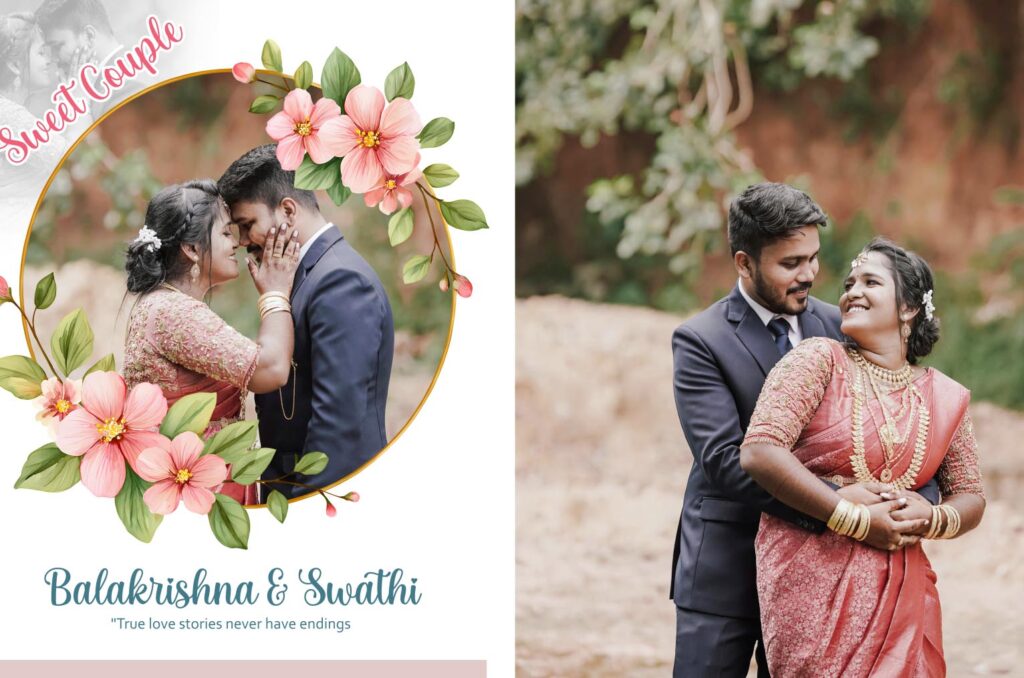
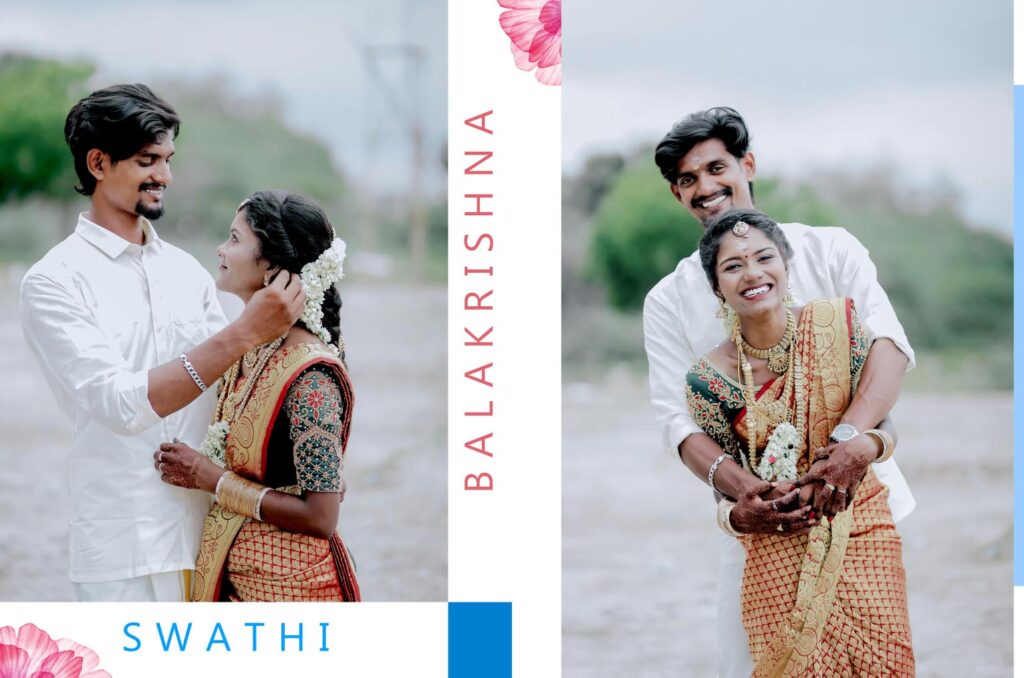
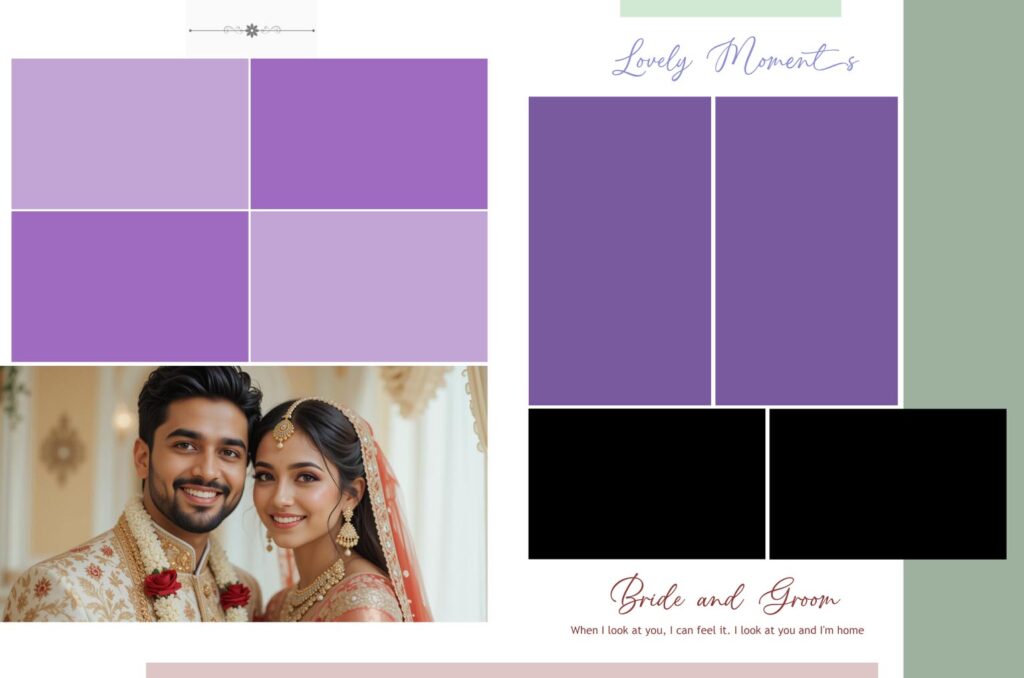
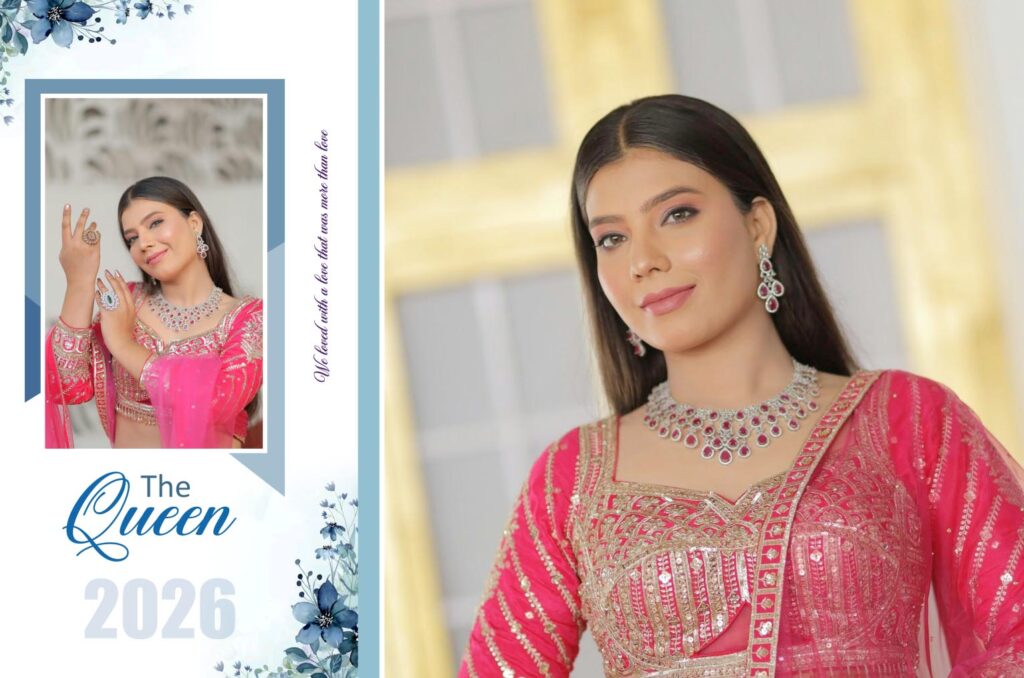
Design Tips for a Stunning 16×24 Album
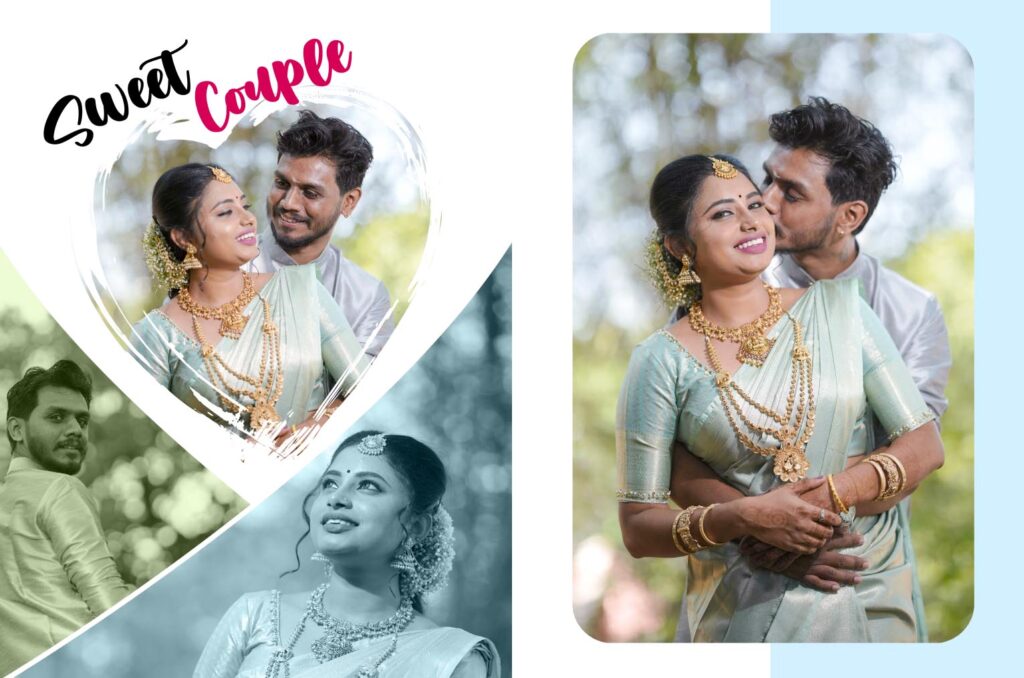
To make your 16×24 spreads look professional, keep these tips in mind:
- White space is your buddy, so avoid packing the page too full. Let the best photos “breathe” by leaving empty space around them.
- Consistency: Use the same color palette and font styles throughout the entire album to create a cohesive story.
- Focus on the Story: Group photos by event—keep the “Haldi” photos on one spread and the “Main Ceremony” on another.
Features of Our Premium PSD Templates
Our latest collection of 16×24 templates is built with the professional designer in mind. Here is what you can expect:
- Fully Layered PSD Files: Every element—from the background textures to the frames—is on a separate layer. This gives you 100% control over the layout.
- Smart Object Integration: You don’t need to manually resize every photo. Simply double-click the Smart Object layer, drop your image in, and save!
- High Resolution (300 DPI): Our templates are print-ready. We ensure the pixel density is high enough for crisp, sharp printing on matte, silk, or glossy paper.
- Modern Typography: We use a mix of elegant serif and clean sans-serif fonts to give your album a timeless, sophisticated look.

Download Your 16×24 Wedding Album Templates
Are you prepared to elevate the style of your wedding album? Our 16×24 PSD templates are designed to help you work faster and impress your clients.
Choosing the Right Theme for Your 16×24 Wedding Album
A wedding album is more than just a book; it’s a storyteller. In the world of 16×24 designs, the “Theme” is the visual language that speaks for the couple. Whether they had a traditional ceremony or a modern destination wedding, the design must match the mood of the day.
Here are the most popular themes for 16×24 PSD templates and how to know which one is right for your project.
1. The Classic Royal Theme
Best for: Traditional weddings with heavy jewelry, grand venues, and rich colors.
- Visual Elements: Gold foil borders, deep maroon or royal blue backgrounds, and intricate mandala patterns.
- Why it works: The 16×24 size is large enough to handle “busy” traditional patterns without making the photos feel crowded. It emphasizes the grandeur of the celebration.
2. The Minimalist Modern Theme
Best for: Contemporary weddings, outdoor ceremonies, and high-fashion photography.
- Visual Elements: Lots of white space, clean thin lines, and simple sans-serif typography.
- Why it works: Minimalism on a large 16×24 canvas looks incredibly sophisticated. It allows one or two “hero” shots to take center stage without any distractions.
3. The Vintage / Sepia Story
Best for: Heritage-style weddings or couples who love a timeless, nostalgic feel.
- Visual Elements: Paper textures, burnt edges, muted earthy tones, and classic cursive fonts.
- Why it works: If the photography style is soft or film-inspired, a vintage theme adds a layer of soul and history to the album.
4. The Floral & Botanical Theme
Best for: Garden weddings, spring ceremonies, or “Haldi” and “Mehendi” functions.
- Visual Elements: Soft watercolor flowers, pastel gradients (pinks, greens, yellows), and organic shapes.
- Why it works: It adds a fresh, vibrant energy to the pages. It’s perfect for breaking up the more serious ceremony photos with something light and airy.
Pro Tip for Designers
When using our 16×24 PSD Templates, remember that themes are flexible! You can take a “Royal” template and simply change the gold elements to silver or white to instantly create a more “Modern” look.
Frequently Asked Questions (FAQ)
Q1: What is the exact size of a 16×24 Wedding Album spread? A: A 16×24 spread usually refers to a single page of 16 inches in height and 24 inches in width. However, in the photography industry, “16×24” is often used to describe a vertical layout or a specific custom size. Always double-check with your printing lab’s specifications (including bleed margins) before finalizing your design.
Q2: What resolution should I use for printing a 16×24 album? A: For professional-grade printing, your PSD files should be set to 300 DPI (Dots Per Inch). All our templates are pre-set to 300 DPI in CMYK or RGB color modes to ensure the colors look vibrant and the images look sharp when printed.
Q3: Can I change the background colors and design elements? A: Yes! One of the biggest advantages of our PSD templates is that they are fully layered. You can easily change background colors, hide specific decorative ornaments, or move frames to suit your specific wedding theme.
Q4: What are “Bleed” and “Safety” zones, and why do they matter?
A: The Bleed Zone is an extra area (usually 0.125 to 0.25 inches) added to the edges of your design that gets trimmed off during the binding process. The Safety Zone is the inner margin where you should keep important elements like text and faces. Following these ensures that no crucial part of your photo is accidentally cut off or lost in the center fold (the gutter).
Q5: Are these templates compatible with older versions of Photoshop?
A: Our PSD templates are designed to be highly compatible. They work seamlessly with Adobe Photoshop CC and most versions as far back as CS6. Since we use standard layers and masks, you shouldn’t encounter any “broken” files or missing features.
Q6: How do I “drop” my photos into the templates?
A: It’s simple! Most of our templates use Smart Objects or Clipping Masks.
-
To use a Clipping Mask: Place your photo on the layer directly above the “Frame” or “Placeholder” layer. Right-click your photo layer and select “Create Clipping Mask.” Your photo will automatically snap into the shape of the frame.
Q7: What is the best color profile for wedding albums?
A: While we provide templates in both CMYK and RGB, most high-end labs prefer sRGB or Adobe RGB (1998) for the best color range in skin tones. However, some traditional offset printers require CMYK. We recommend checking your specific lab’s “Color Management” guide before exporting your final JPEGs.