Table of Contents
- The Magic Tool: Gemini AI
- The “Pro” Polish: Final Touches
- Turning Your Skill into a Business
- Final Thoughts
- For More Information Watch Full Video:
- Frequently Asked Questions
We all have them—tucked away in weathered shoe boxes or aging family albums. Faded, cracked, and grainy photographs of our grandparents, or perhaps a childhood memory that hasn’t stood the test of time.
For the longest time, “restoring” these photos required high-end professional skills and hours of tedious work in Photoshop. But what if I told you that the secret to bringing these memories back to life—and even making a side income from it—is sitting right in your browser?
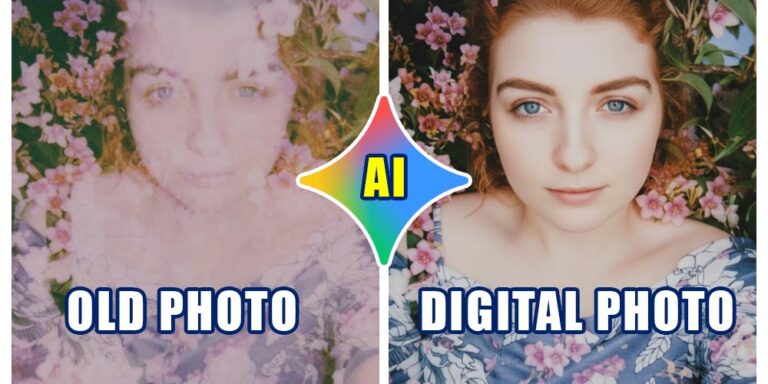
In today’s post, I’m breaking down a simple, AI-powered workflow to transform old photos into stunning digital portraits.
The Magic Tool: Gemini AI
Forget complex filters. The heavy lifting is now done by Artificial Intelligence. In a recent workflow I’ve been testing, Gemini AI has proven to be a game-changer for photo restoration.
Step 1: The Initial Scan
Start by getting a clear digital version of your old photo. Whether you find one online to practice with or scan a family heirloom, the goal is to have a base image. Even if it’s low resolution or slightly damaged, there’s hope! [00:23]
Step 2: Prompting for Perfection
Upload your photo to Gemini and use a clear, direct prompt. Start with something like:
“Please convert this old photo into a digital photo.” [01:12]
The AI will analyze the features and sharpen the details. Often, the first result might be a high-quality black-and-white version.
Step 3: Bringing Back the Color
A black-and-white restoration is great, but color adds soul. Simply follow up with a prompt like:
“Add natural colors.” [01:48]
The AI intelligently maps skin tones and background elements to give you a vibrant, modern look that feels authentic to the original moment. [02:20]
The “Pro” Polish: Final Touches
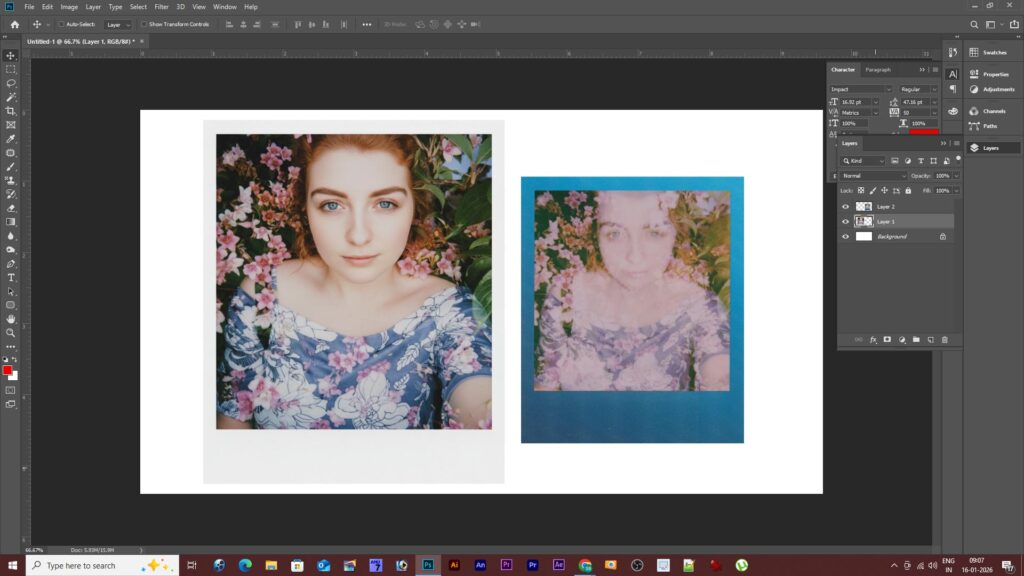
While AI does 90% of the work, a little human touch goes a long way. Take that AI-generated image into Photoshop for a final check. You can remove any remaining artifacts or fine-tune the contrast to ensure the “Before and After” transformation is truly jaw-dropping. [03:06]
Turning Your Skill into a Business
This isn’t just a cool party trick; it’s a service people are willing to pay for. Here is how you can monetize this:
- Create a Portfolio: Pick 5-10 old photos and restore them.
- The Power of “Before & After”: Use Instagram or Facebook to post side-by-side comparisons. This visual proof is your best marketing tool. [03:26]
- Leverage Your Network: Share your work with friends and relatives first. Word of mouth is the fastest way to get your first few paid clients. [03:47]
- Consistency is Key: Post regularly (as Reels or standard posts) to build a following. As your reach grows, so will your orders. [04:02]
Final Thoughts
We live in an era where technology allows us to preserve history with just a few clicks. Whether you want to preserve your own family heritage or start a creative side hustle, AI photo restoration is an accessible, rewarding, and profitable skill to master.
For More Information Watch Full Video:
Frequently Asked Questions
1. Do I need to be a professional graphic designer to do this? Not at all! The beauty of using Gemini AI is that it handles the most difficult parts—like recreating facial details and matching skin tones. While basic knowledge of photo editing (like Photoshop or Canva) helps for final touches, the AI does the heavy lifting.
2. Can AI fix photos that are physically torn or missing pieces? Yes, in many cases! AI “inpainting” technology can look at the surrounding areas of a photo and intelligently fill in missing gaps or repair cracks. For very damaged photos, you might need to give the AI specific prompts like “Repair the torn edges” or “Reconstruct the missing background.”
3. Is Gemini AI free to use for photo restoration? Gemini offers a robust free version that can handle these tasks. For higher volume or more complex “Pro” features, there may be subscription tiers, but you can definitely start your side hustle using the standard tools.
4. How much should I charge for restoring an old photo? Pricing depends on the level of damage and your location. A common strategy is to charge per photo (e.g., $10 – $30) or offer packages (e.g., 5 photos for $75). As you get faster and your “Before & After” portfolio grows, you can increase your rates.
5. How do I get my first client? Start with your inner circle! Reach out to family members or friends and offer to restore one of their favorite old photos for free in exchange for a testimonial or the right to use it in your portfolio. Once people see the emotional impact of a restored photo, the orders usually start coming in.
6. What is the best way to scan a physical photo for digital editing? If you don’t have a flatbed scanner, use a “Scanner App” on your smartphone. Ensure you are in a room with bright, natural light (but avoid direct sunlight to prevent glare) and hold the phone perfectly parallel to the photo for the best resolution.