Table of Contents
- 1. The Rise of “WhatsApp-First” Dimensions
- 2. Scribble Style and Hand-Drawn Minimalisms
- 3. Texture-Inspired Typography
- 4. Interactive and “Phygital” Elements
- 5. Royal Heritage & “Vibrant India” Themes
- Why Digital & WhatsApp Invitations are the Global Standard in 2026
- 1. Sustainability as a Statement
- 2. The Power of Real-Time Flexibility
- 3. Professional Design for Everyone
- 4. Cost-Effectiveness Without Compromise
- Frequently Asked Questions about Digital Invitation Templates
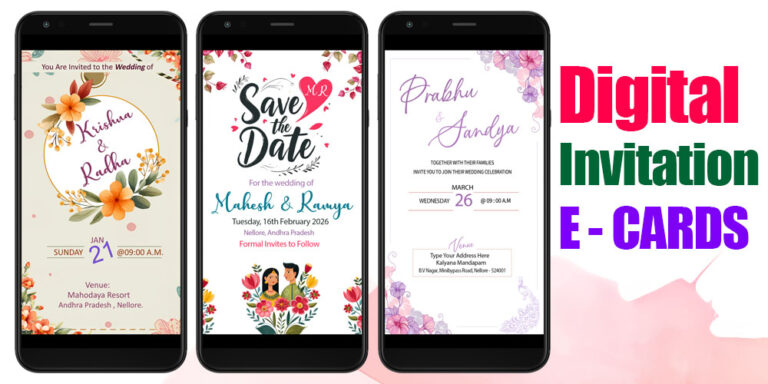
In today’s fast-paced digital world, the way we share life’s biggest milestones has shifted from the mailbox to the palm of our hands. While traditional paper invites still hold a certain charm, Digital Invitation Cards and WhatsApp Invitation Templates have become the gold standard for modern celebrations. They are eco-friendly, cost-effective, and—most importantly—instant.
If you are a graphic designer or a DIY enthusiast looking to create a “wow” factor, Adobe Photoshop (PSD) remains the most powerful tool for the job. Here is a look at the latest trends in digital invitation templates for 2026.
1. The Rise of “WhatsApp-First” Dimensions
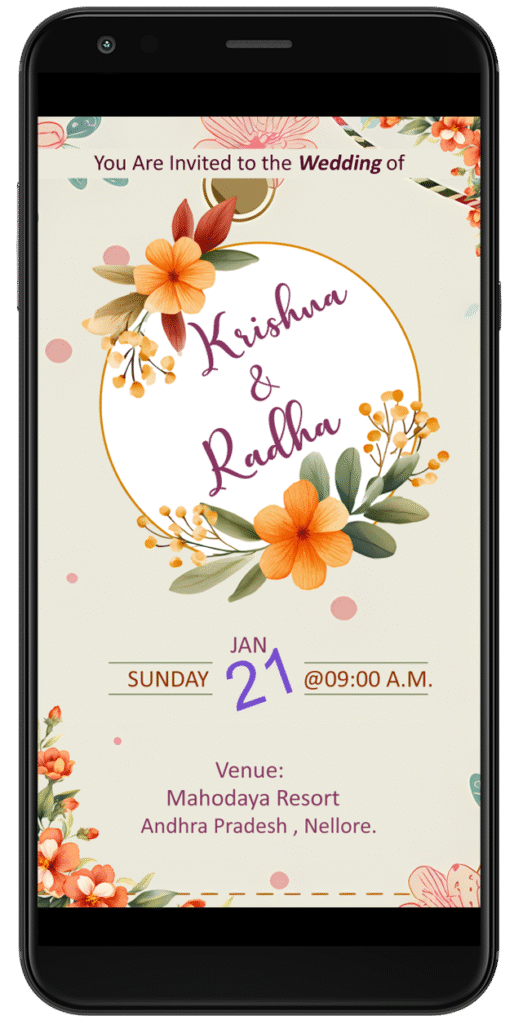
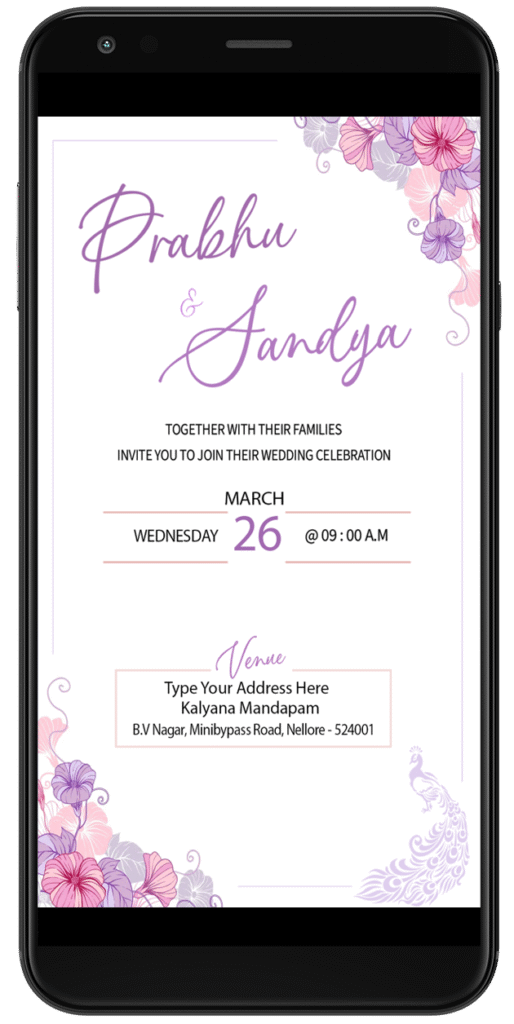
Gone are the days of sending a standard horizontal image that gets cropped or requires zooming. The hottest trend in 2026 is the 9:16 vertical aspect ratio (1080 x 1920 pixels).
Templates designed in this “Story” format fit perfectly on a smartphone screen, providing a full-screen immersive experience. When your guests open your WhatsApp message, the invitation fills the display like a high-end digital billboard, making the details easy to read and the visuals striking.
2. Scribble Style and Hand-Drawn Minimalisms
A major aesthetic shift this year is the “Scribble Style.” Moving away from rigid, overly-formal layouts, these templates feature whimsical line drawings, hand-drawn floral motifs, and “back-of-the-napkin” doodles.
In Photoshop, this trend is achieved by using layers of delicate brush strokes and organic shapes. It feels personal and authentic—as if you hand-drew the invite yourself, but with the professional polish of high-quality PSD textures.

3. Texture-Inspired Typography
Typography is no longer just about the font; it’s about the feel. 2026 templates utilize Lace and Crochet-inspired textures within the lettering. By using Clipping Masks in Photoshop, designers are filling bold serif fonts with textures like silk, velvet, or recycled paper. This adds a “tactile” depth to a digital screen that makes the invitation feel premium and luxury.
4. Interactive and “Phygital” Elements
Why stop at a static image? The latest digital templates often leave space for QR Codes. You can design a beautiful static card in Photoshop, but leave a stylishly framed corner for a QR code that links to:
- A Google Maps location for the venue.
- A “Save the Date” calendar link.
- An RSVP website or a “Love Story” video reel.
5. Royal Heritage & “Vibrant India” Themes
For those celebrating cultural events like weddings or festivals, the trend is moving away from Western pastels and back to deep, soulful colors. We are seeing a surge in PSD templates featuring:
- Rani Pink, Turmeric Yellow, and Indigo Blue.
- Intricate Mandalas and Temple-inspired borders.
- Foil Stamping Effects: Using Photoshop’s “Bevel and Emboss” and gold texture overlays to mimic the look of traditional metallic printing.
Why Digital & WhatsApp Invitations are the Global Standard in 2026
In 2026, the landscape of event planning has shifted from traditional logistics to “experience-first” digital interaction. As we embrace a more connected and conscious world, Digital Invitation Cards and WhatsApp Invitation PSD Templates have transitioned from a convenient alternative to an absolute necessity.
1. Sustainability as a Statement
In 2026, eco-consciousness is no longer a trend—it’s a lifestyle. Digital invites eliminate paper waste, printing chemicals, and the carbon footprint of physical delivery. For modern hosts, sending a high-quality digital card is a powerful way to signal a commitment to environmental responsibility right from the first point of guest contact.
2. The Power of Real-Time Flexibility
Unlike printed cards that become obsolete the moment a typo is found or a venue shifts, Photoshop PSD templates allow for instant updates. In a fast-paced world where event details can evolve, digital invites enable you to notify your entire guest list in seconds. Whether it’s a last-minute time change or a venue update with a clickable Google Maps link, the adaptability of digital formats is unmatched.
3. Professional Design for Everyone
The rise of sophisticated WhatsApp Invitation PSD Templates has leveled the playing field. Graphic designers and hosts can now access high-end layouts featuring 2026’s top trends—such as “scribble style” minimalism, heritage-themed motifs, and interactive QR codes. Using Photoshop ensures these designs remain crisp, vibrant, and perfectly formatted for mobile screens, providing a premium “unboxing” experience right in a guest’s messaging app.
4. Cost-Effectiveness Without Compromise
With wedding and event budgets being redirected toward high-quality photography and guest experiences, digital invites offer significant savings. By removing printing and postage costs, hosts can allocate more resources to the celebration itself while still delivering a stunning, personalized invitation that feels exclusive and thoughtful.

Frequently Asked Questions about Digital Invitation Templates
1. Why should I use a Photoshop (PSD) template for WhatsApp invitations? Using a PSD template gives you total creative control that mobile apps can’t match. You can edit layers, adjust high-resolution textures, and ensure that your colors and typography remain sharp on all smartphone screens. It allows for a professional, custom look rather than a “cookie-cutter” design.
2. What is the best size for a WhatsApp invitation card in 2026? The ideal size for a WhatsApp invitation is 1080 x 1920 pixels (a 9:16 aspect ratio). This is the standard “Portrait” or “Story” size, which ensures the invitation fills the guest’s phone screen entirely without being cropped or having black bars on the sides.
3. What file format is best for sending digital invites? For the best balance of quality and speed, save your final design as a PNG-24 or a high-quality JPEG. PNG is often preferred because it preserves the crispness of text and intricate details better than standard JPEGs, especially when compressed by messaging apps.
4. Can I include a clickable link in a digital invitation image? No, static image files (JPEG/PNG) do not support clickable links. However, the best practice in 2026 is to include a QR Code in your design. Guests can scan the code to open a Google Maps location, an RSVP form, or a wedding website.